Check Out vehicle
Go to Vehicles-Overview-Overview
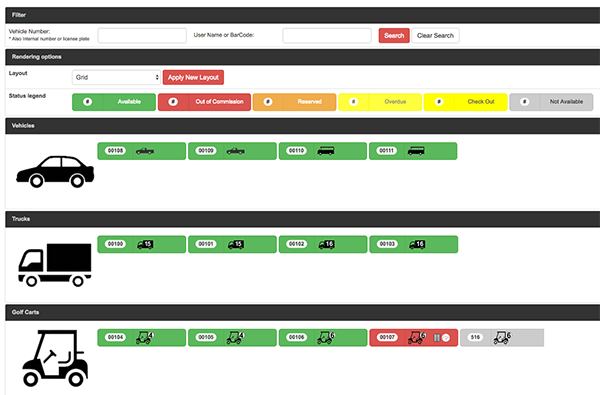
Click on any vehicle
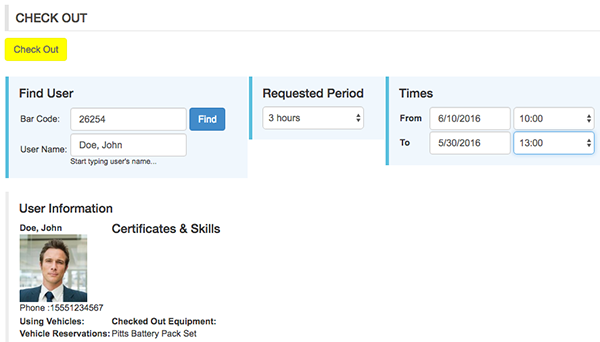
Start to type users name and select user from dropdown list
Enter requested period and time
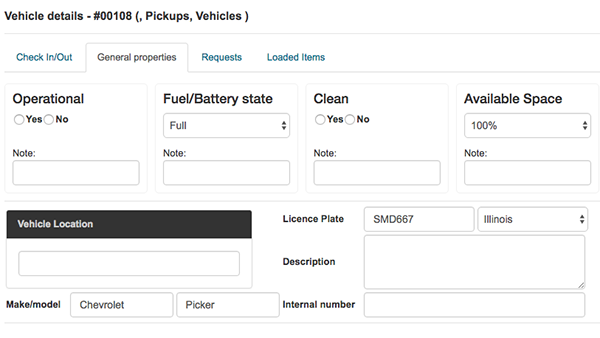
General Properties tab:
- Is vehicle operational or not
- Fuel/Battery status
- Is vehicle clean or not
- Percent of available space
Requests tab:
Shows requests history for selected vehicle

Loaded Items tab:
Shows list of loaded items for selected vehicle
Click CHECK OUT button
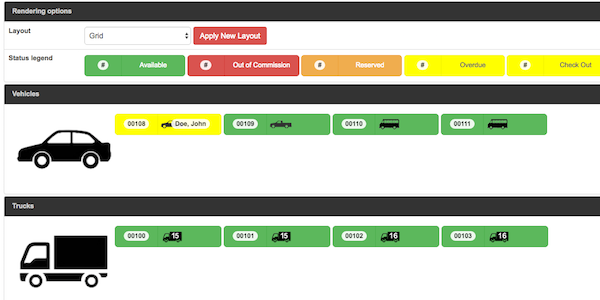 Vehicle is checked out
Reserve vehicle
Click on any vehicle
Start to type users name and select user from dropdown list
Enter requested period and time
Click RESERVE button 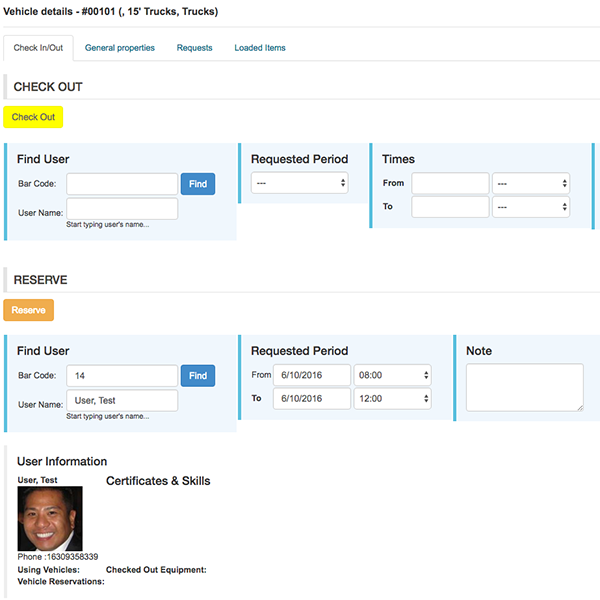
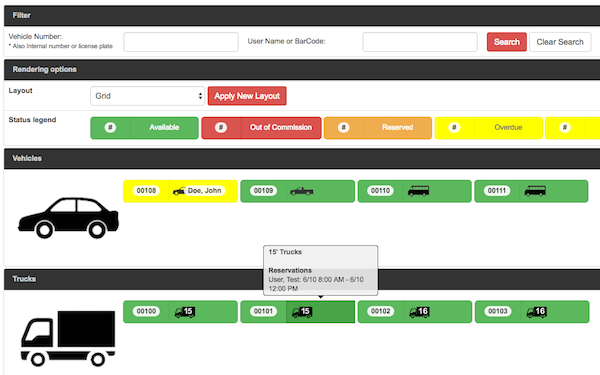
Reservation will shown on mouse over vehicle icon
Lists
Packing Lists
Click on any list to Edit or Click +NEW LIST button

Create new list
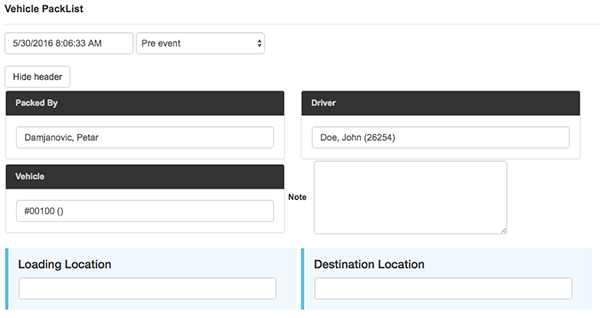
Step 1: Enter Driver, Vehicle, Loading Location and Destination Location.
Click SAVE LIST button
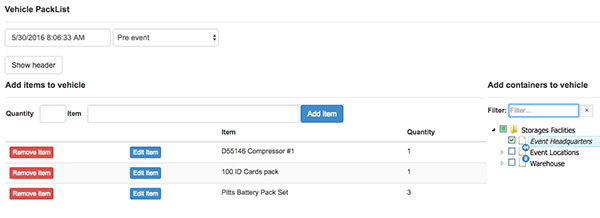
Step 2: Add items to vehicle
Enter quantity, start to type item's name, pick item from dropdown list and click ADD ITEM button
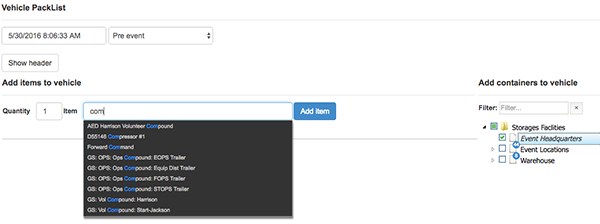
Repeat this step for each item
When done click SAVE LIST button